


|
Name |
Chevstrap |
|---|---|
|
Category |
Tools |
|
Developer |
Chevstrap Dev |
| Last version | 2.0 |
|
Updated |
|
|
Compatible with |
Android 7.0+ |
Introduction to Chevstrap APK
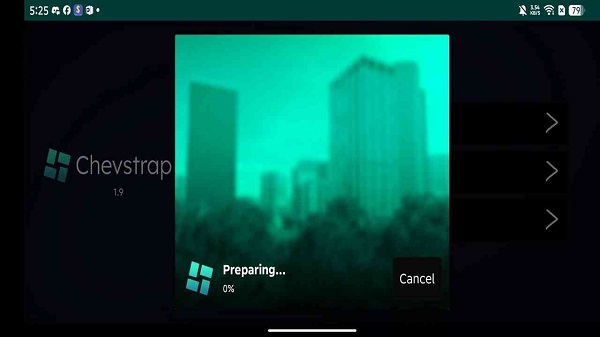
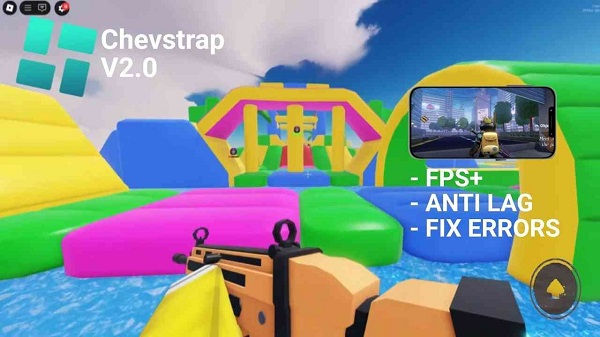
Chevstrap is an Android app built for Roblox players who want more control over how the game launches and runs on mobile. It works as a custom launcher for Roblox and Roblox VN, giving users extra settings that are missing from the standard mobile setup. The app is open-source, lightweight, and focused on making Roblox sessions easier to manage.
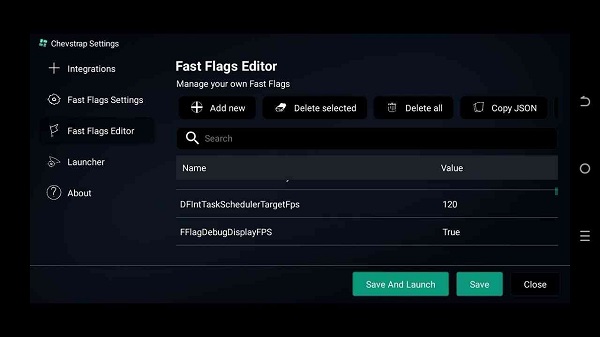
Its main job is simple: help you launch Roblox with more options. Chevstrap lets users adjust Fast Flags, check logs, view server details, and manage a few advanced settings from one place. That makes it useful for players who like to fine-tune performance, test setup changes, or keep an eye on how the game behaves on their device.
One of the biggest reasons people look for Chevstrap is convenience. Instead of digging around for scattered tweaks, you get a cleaner control panel made for mobile use. Fast Flags editing is a key feature here, especially for users trying to adjust visuals, loading behavior, or general performance. There are also integration tools and support for both rooted and non-rooted Android devices, which gives the app a wider reach.
Chevstrap can be helpful on older phones too. Its lightweight design keeps things fairly simple, and the extra logs make troubleshooting less annoying when something goes wrong. If Roblox refuses to cooperate for mysterious mobile reasons, and mobile reasons can be very dramatic, Chevstrap gives you more clues than the default launcher usually does.
The app still has a few limits. It is made for Android, so iPhone and iPad users are out of luck here. It also asks users to install an APK manually, which may feel a bit technical for beginners. Some features, like Fast Flags, are useful but easy to misuse if you change settings without knowing what they do. Small tweaks are smart. Random chaos, less so.
Chevstrap suits regular Roblox players on Android who want cleaner launch controls, extra settings, and better visibility into how the app runs. It makes the most sense for users who like customizing their setup, testing performance changes, or managing Roblox on phones that need a little extra care. Casual players can still use it, but people who like control will probably get the most value from it.
FAQs Chevstrap
What is Chevstrap APK?
+
Chevstrap APK is an Android launcher app for Roblox and Roblox VN that gives users extra control over launch settings, Fast Flags, logs, and basic customization.
What is Chevstrap used for?
+
It is used to launch Roblox on Android with more settings than the standard mobile app, including performance tweaks, Fast Flags editing, and troubleshooting tools.
Is Chevstrap safe to use?
+
Chevstrap is described as open-source, which means its code can be reviewed by the community. Safety still depends on downloading it from the official source and using its settings carefully.
Can Chevstrap improve Roblox performance on Android?
+
It can help users adjust launch settings and Fast Flags that may improve stability or responsiveness on some devices, but results depend on the phone’s hardware and current Roblox settings.
Who should use Chevstrap APK?
+
It fits Android Roblox players who want more control, cleaner launch tools, and extra setup options, especially those who like testing performance changes or checking logs when issues show up.
Discover More Interesting Apps
-

Theick.io
v0.4.8
29 MB
Updated -
Mod
Remote Mouse Pro
v5.306
63 MB
Updated -
Mod
TLS Tunnel
v7.2.6
27.95 Mb
Updated -
Ace Stream
v3.2.19.5
107.59 Mb
Updated -
90 FPS
v11.4
16.02 Mb
Updated -
Mod
Medix
v1.4.0
69.80 Mb
Updated -
Mod
Multi App
v2.7.0
37.47 Mb
Updated -
Sophon
v1.0.54.1
65.80 Mb
Updated -
Mod
SWAP - No ROOT
vv4.8.8
8.41 Mb
Updated -
Ultimate USB
v10.1.1
71.06 Mb
Updated










Share Your Thoughts